Last updated: July 2026
Digital customer journey definition: A digital customer journey is an interactive online experience that guides customers through an entire business process, from data collection to completion. Unlike a traditional form, it adapts to customer responses, automates workflows, generates documents, captures electronic signatures, and integrates with business systems to complete complex tasks rather than simply collecting information.
TL;DR
A digital customer journey is an interactive, end-to-end experience that guides customers through a complete business processfrom the first interaction to the final outcome. Unlike a traditional online form, a digital journey adapts to each customer's situation, collects only the information that's needed, automates workflows, generates documents, captures signatures, and connects with your existing business systems.
While forms are designed to collect data, digital customer journeys are designed to complete work. Platforms like EasySend help organizations digitize complex customer interactions such as insurance claims, loan applications, customer onboarding, and policy servicingnot just the form at the beginning of the process.
What is a digital customer journey?
A digital customer journey is a guided experience that helps customers complete a specific business process online.
Rather than presenting a long list of questions on a static form, a digital journey responds to the customer's inputs and moves them through each step of the process.
Depending on the use case, a journey can:
- Collect customer information
- Validate data in real time
- Display conditional questions
- Request supporting documents
- Generate personalized documents
- Capture electronic signatures
- Trigger approvals
- Synchronize data with business systems
- Keep customers informed throughout the process
Instead of simply collecting information, a digital journey helps organizations complete an entire workflow.
What is an online form?
An online form is a tool used to collect information.
Whether it's a contact form, event registration, customer survey, or application, the goal is generally the same: gather data and submit it for processing.
Most form builders allow you to:
- Add fields
- Collect responses
- Apply basic validation
- Export submissions
- Send notifications
Forms are effective for simple interactions, but they often become difficult to manage when business processes involve multiple stakeholders, documents, approvals, or integrations.
Digital customer journey vs. online form
Why forms aren't enough for complex processes
Many customer interactions involve much more than collecting information.
Consider an insurance claim.
Submitting claim details is only the beginning.
The insurer also needs to:
- Collect supporting documents
- Validate policy information
- Assign adjusters
- Generate claim documents
- Obtain signatures
- Update internal systems
- Notify the customer
- Track claim progress
Trying to manage all of these activities with a standalone form usually results in emails, spreadsheets, and manual work.
A digital journey keeps everything connected in one experience.
How digital customer journeys work
A digital customer journey guides users through each stage of a process.
For example, a loan application Journey might look like this:
- The applicant starts the application.
- Personal information is collected.
- Additional questions appear based on loan type.
- Supporting documents are uploaded.
- Information is validated automatically.
- Loan documents are generated.
- The applicant signs electronically.
- Data is sent to the loan origination system.
- The customer receives status updates.
Instead of multiple disconnected tools, the entire interaction happens within one workflow.
Digital journeys adapt to every customer
One of the biggest advantages of digital journeys is personalization.
Not every customer needs to answer the same questions.
For example:
- Existing customers can have information prefilled.
- Mortgage applicants provide property information.
- Business borrowers provide company details.
- Insurance claimants upload different documents depending on the type of loss.
- Additional approvals appear only when required.
This creates shorter, more relevant experiences while reducing errors.
EasySend allows business users to configure conditional business logic without writing code.
Learn more: https://kb.easysend.io/docs/conditions-and-validation
Digital journeys automate what happens after submission
Submitting information is only one step in a business process.
After submission, organizations often need to:
- Route requests to internal teams
- Generate documents
- Request approvals
- Send notifications
- Update CRM records
- Trigger downstream workflows
A digital customer journey automates these activities instead of leaving employees to complete them manually.
This reduces operational effort while improving response times.

Digital journeys generate documents automatically
Many organizations recreate customer information in multiple documents.
Digital journeys eliminate this duplication.
Using EasySend's Dynamic Documents, organizations can generate personalized agreements, disclosures, applications, and other documents directly from the information collected during the Journey.
A single Microsoft Word template can produce thousands of personalized document variations using business rules.
Learn more: https://kb.easysend.io/docs/dynamic-document
Electronic signatures become part of the experience
Many business processes require signatures.
Instead of redirecting customers to another platform, EasySign allows customers to review and sign documents without leaving the Journey.
Keeping signatures inside the workflow reduces friction while maintaining a complete audit trail.
Learn more: https://kb.easysend.io/docs/easysign
Digital journeys connect to your existing systems
Modern organizations already have CRM platforms, ERP systems, policy administration systems, loan origination systems, HR platforms, and document repositories.
A digital journey shouldn't replace these systems.
Instead, it should connect them.
EasySend integrates with enterprise applications so customer information flows automatically between systems without manual data entry.
Learn more: https://kb.easysend.io/docs/integrations
Common use cases for digital customer journeys
Digital customer journeys are especially valuable for processes involving multiple steps, participants, and approvals.
Common examples include:
Insurance
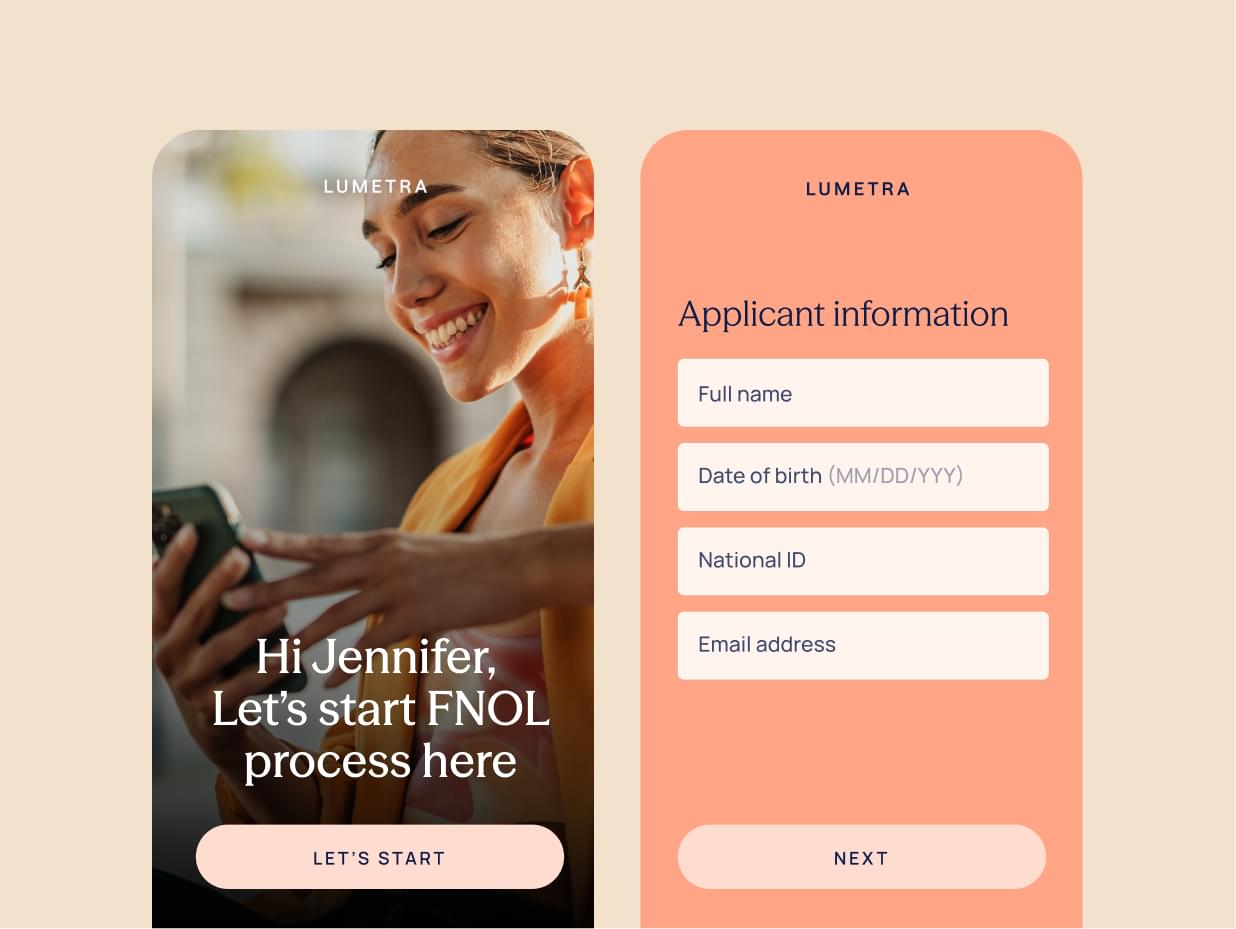
- First Notice of Loss (FNOL)
- Claims management
- Policy changes
- New policy applications
Financial services
- Loan applications
- Mortgage applications
- Account opening
- KYC and AML onboarding
Healthcare
- Patient intake
- Consent forms
- Prior authorization
- Medical equipment requests
Human resources
- Employee onboarding
- Benefits enrollment
- Offboarding
B2B operations
- Vendor onboarding
- Distributor onboarding
- Partner applications
- Contract renewals
When is a form enough?
Traditional forms remain a great choice for straightforward interactions.
Examples include:
- Contact forms
- Newsletter subscriptions
- Event registrations
- Customer surveys
- Feedback forms
- Basic lead generation
If the interaction ends once the information is submitted, a form is usually sufficient.
If the process continues after submission, a digital customer journey is often the better solution.
Why organizations choose EasySend
EasySend helps organizations digitize complete customer interactions—not just forms.
Instead of simply collecting information, EasySend enables organizations to build customer Journeys that include:
- AI Journey Builder
- AI PDF Converter
- No-code Journey Builder
- Conditional business logic
- Structured data models
- Secure document uploads
- Dynamic Documents
- EasySign
- Workflow automation
- Enterprise integrations
- Analytics and audit trails
The result is a connected digital experience that improves customer satisfaction while reducing manual work across the organization.
Learn more about building digital Journeys: https://kb.easysend.io/docs/create-your-first-journey
FAQ

Forget forms. Create digital customer journeys.