
Loan origination still has a stubborn bottleneck: document intake. Even lenders with a modern LOS often rely on borrower-facing PDFs, email follow-ups, and manual checks to “complete the file.” That approach breaks down because PDFs weren’t built for mobile-first data capture, dynamic logic, or validation, and the result is predictable: missing fields, incorrect entries, repeated submissions, and processing delays.
A better model is emerging: convert the PDF from a static artifact into a guided digital journey that
- Pre-fills what you already know,
- Validates data in real time
- Orchestrates uploads and signatures
- Syncs clean data back to your CRM/LOS stack.
This is where AI makes a practical difference, not as a generic “chatbot,” but as an accelerator that helps teams convert loan PDFs into end-to-end journeys in minutes, then refine them with business logic and validations.
Why “loan PDF intake” fails in practice
PDFs are often treated as the digital equivalent of paper forms, and they inherit the same problems:
- They are not inherently mobile-friendly for input and completion.
- They do not guide borrowers through what’s relevant for their scenario.
- They cannot validate critical data at the moment it’s entered (so errors propagate downstream).
- They cause operational “ping-pong” as teams chase missing fields and documents.
One EasySend guidance document puts it bluntly: “Stop using PDF as a data gathering tool,” and instead shift to digital intake journeys that pre-populate known data and validate inputs at the point of entry.
What it means to turn a loan PDF into a “digital journey”
A digital journey is not “a nicer form.” It is a guided borrower flow that can include:
- Dynamic steps (conditional paths based on borrower type / product / risk rules)
- Multi-format data capture (fields + attachments + signatures)
- Real-time validations (format + semantic checks)
- Document upload with “missing items” prompts
- Role-based steps (borrower, co-borrower, guarantor, internal reviewer)
- Integrations (CRM/LOS, document storage, KYC/IDV, email/SMS)
- Analytics and tracking to reduce drop-off and improve completion
This is the same pattern EasySend describes across complex onboarding processes: guided links, adaptive steps, real-time validation, digital signatures, automated follow-ups, and direct sync into core systems.
The AI-driven workflow: PDF → journey → validations → sync
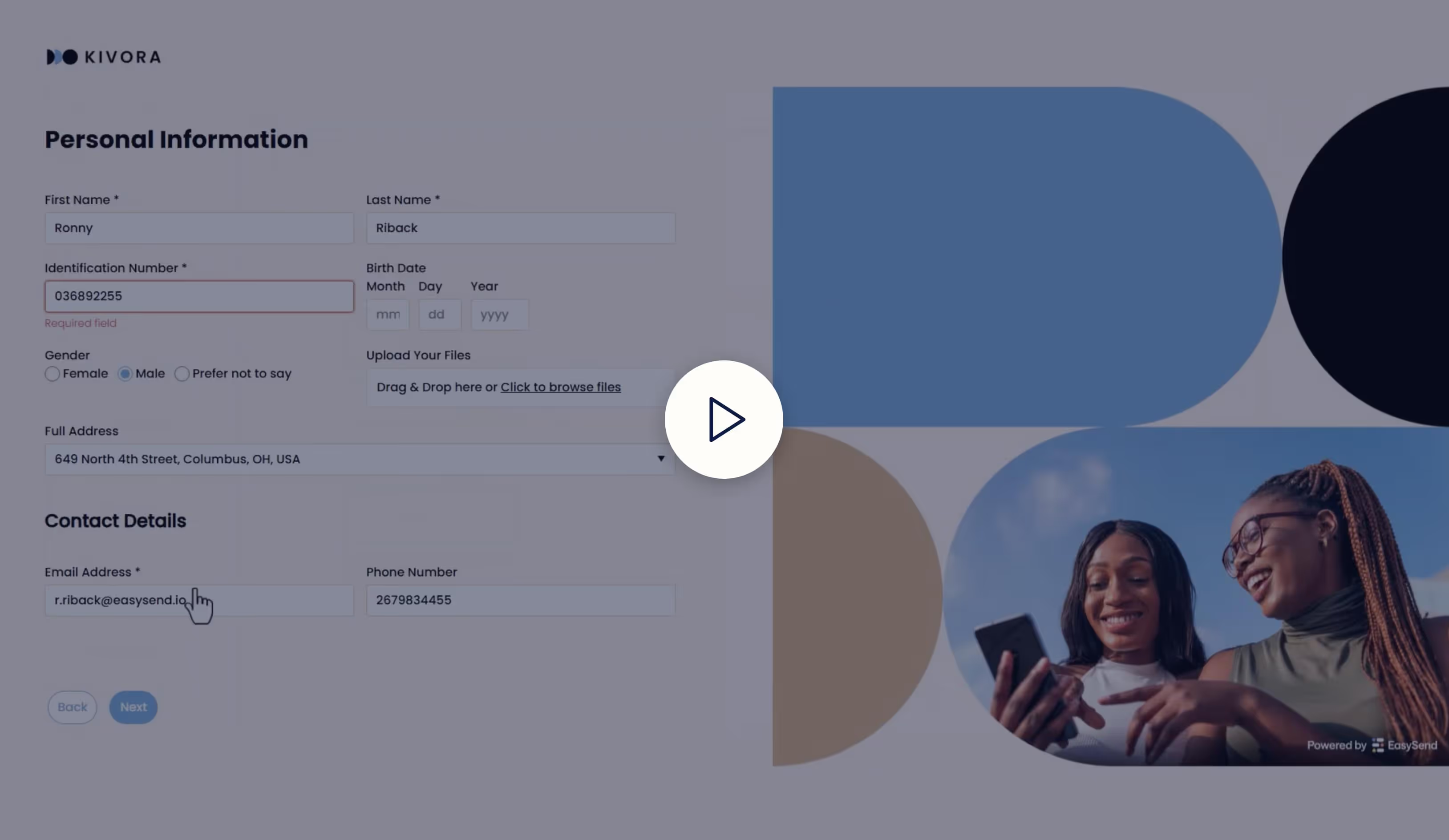
Step 1: Upload the loan PDF and let AI create a starting point
EasySend positions the AI PDF Converter as a way to “upload static PDFs and transform them into interactive, digital experiences… no code, no delay.”
In practice, the AI conversion step is about accelerating the build:
- Identify fields and likely input types
- Suggest section structure
- Turn static “blocks of text + blanks” into a guided experience you can iterate on
Step 2: Add the missing ingredient—business logic and conditionality
AI gets you from “PDF” to “usable draft journey.” But loan intake requires rules. This is where EasySend’s built-in business logic and workflow capabilities matter: personalize journeys with conditional logic, assign roles, and orchestrate the journey end-to-end.
Examples of loan-intake conditional logic:
- If employment type = self-employed → request additional income docs
- If property type = investment → add rental income section
- If loan amount > threshold → require internal approval step
- If borrower indicates co-borrower → spawn co-borrower sub-flow
Step 3: Implement real-time validations (where lenders actually win time)
Validation is the fastest way to reduce cycle time without adding headcount.
A practical best practice is to:
- Pre-populate fields when you already have the data (from CRM/LOS/customer profile)
- Validate at the point of entry so errors don’t become underwriting delays
In a loan context, “validation” typically includes:
- Syntactic validation: formatting checks (email, SSN pattern, phone, postal code)
How to make the most of your di… - Semantic validation: meaning checks (DOB indicates age eligibility, dates are valid, declared income isn’t negative, etc.)
Step 4: Make uploads deterministic, not “best effort”
Borrowers don’t fail because they refuse to upload; they fail because the process is unclear, fragmented, or too slow.
A journey-based intake turns document collection into a structured step:
- Upload checklist by scenario (W-2 vs 1099 vs bank statements, etc.)
- Automated reminders and notifications when something is missing
- Clear progress and status
This “missing documents” pattern shows up explicitly in EasySend onboarding examples: the journey can notify the user about missing bank statements and provide a direct action to add them.
Step 5: Collect signatures inside the same experience
Loan processes rarely end at “submit.” They include disclosures, authorizations, and acknowledgements.
EasySend’s broader platform positioning emphasizes end-to-end workflows—including digital signature collection and audit trails—inside the same journey experience.
Step 6: Sync clean, structured data back to your systems
A major reason lenders get stuck is re-keying: a borrower submits a PDF, then ops manually re-enters data into CRM/LOS.
EasySend’s Salesforce positioning is explicit: drag-and-drop Salesforce fields into processes to create “personalized, pre-populated experiences,” deploy from Salesforce, and track progress.
What validations should you prioritize first (loan-specific)
If you want the fastest ROI, start with validations that prevent rework:
1) Identity & contact
- Email format + deliverability checks
- Phone normalization
- Address normalization (and “required components” checks)
2) Product eligibility
- LTV/DTI inputs validated and range-checked (even before underwriting)
- Required fields based on product type (mortgage vs personal loan vs refi)
3) Income consistency
- Employment status triggers required docs
- If self-employed, require business docs before submission
4) Document completeness
- Do not allow “submit” until required uploads are present
- Use step-level completion gating (no silent failure)
These patterns align with the general best practice: validate at the moment of entry to avoid downstream correction cycles.
Operating model: how teams actually run this without developers
A key reason journey-based intake works is that it is designed to be maintained by business teams. EasySend repeatedly positions this as a low-code/no-code advantage: “Design and manage every step… with an intuitive drag-and-drop interface, no coding required,” and “Launch in days, not months.”
In lending, that translates into:
- Faster iteration when forms/disclosures change
- Faster rollout of new loan products
- Less dependency on IT for borrower-facing changes
Proof points lenders care about (speed + cycle time)
EasySend’s financial services collateral highlights a banking outcome: Bank Leumi launched a self-service digital mortgage process and reduced approval time significantly.
This is directionally consistent with the core value of validated, guided intake: fewer errors, fewer follow-ups, faster completion.
TL;DR
AI makes loan-document digitization practical by accelerating the conversion of static loan PDFs into guided digital journeys. The real win comes when you layer in:
- Pre-fill from CRM/LOS data
- Real-time validations at point of entry
- Deterministic uploads and “missing document” prompts
- Integrated signatures and audit trail
- System sync (Salesforce/CRM + back office)
EasySend specifically positions this as: AI Journey Builder + AI PDF Converter + workflow logic + integrations + tracking, built to launch quickly without code.
FAQ

Forget forms. Create digital customer journeys.


